Connecting
pgxcli gives you several ways to connect. Pick whichever fits your workflow.
Positional Arguments
The quickest way. Pass the database name and (optionally) the username:
pgxcli mydb
pgxcli mydb myuser
If you skip the username, pgxcli uses the current OS user — or the PGXUSER / PGUSER environment variable if set.
Connection Flags
For full control, use flags:
pgxcli --host localhost --port 5432 --user postgres --dbname mydb
Short forms work too:
pgxcli -h localhost -p 5432 -U postgres -d mydb
You can mix flags and positional arguments. Flags take priority.
--host uses -h as its shorthand. The built-in --help flag has no shorthand — use --help to see usage.
Connection URI
Pass a standard PostgreSQL connection string as the first argument:
pgxcli postgres://user:password@localhost:5432/mydb
pgxcli detects :// or = in the first argument and treats it as a connection string automatically. Any format that libpq accepts will work.
Interactive Form
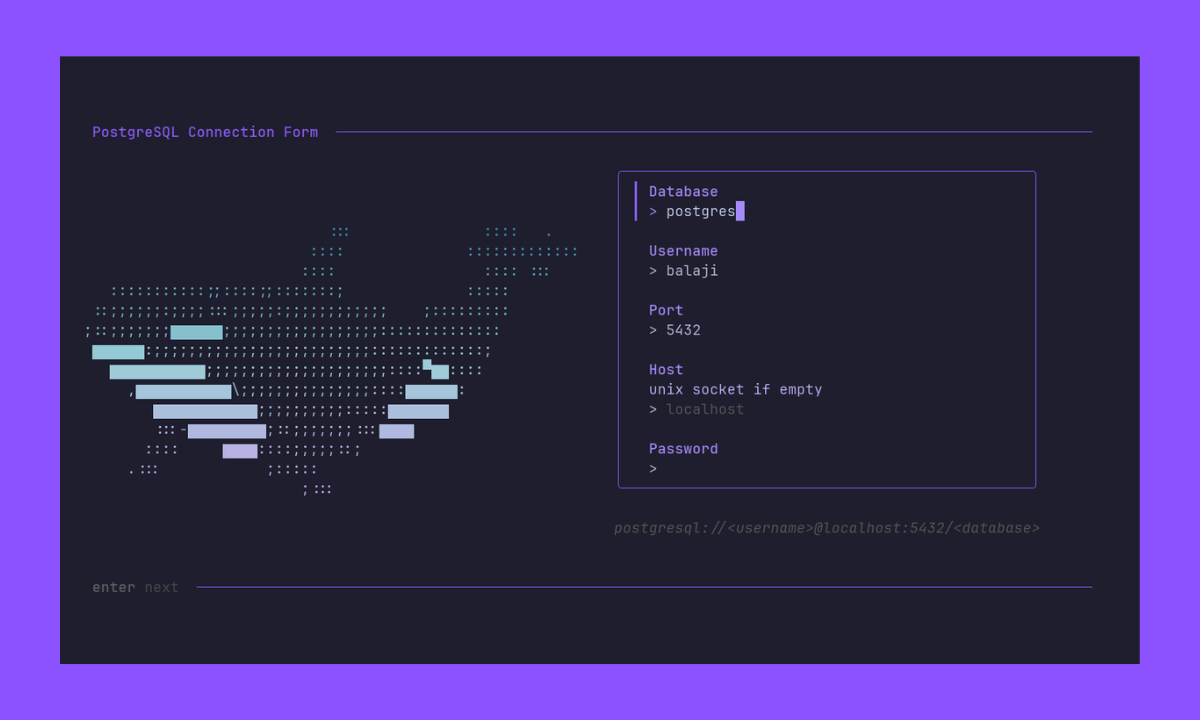
Launch a TUI form that lets you fill in connection details visually:
pgxcli -i
The form pre-fills values from any flags or positional arguments you passed. It validates input (like port range) as you type, and shows a live summary of the connection you're about to make.
You can also combine it with flags to set defaults:
pgxcli -i -h myhost -d mydb
Password Handling
By default, pgxcli tries to connect without a password first. If the server rejects the attempt with an authentication error, it prompts you for a password . If the password is incorrect, you will be prompted to retry.
You can control this behavior:
| Flag | Behavior |
|---|---|
-W / --password | Always prompt for password before connecting |
-w / --no-password | Never prompt — use PGXPASSWORD or PGPASSWORD from the environment instead |
These two flags are mutually exclusive.
In the interactive form (-i), there's a password field built in — so you don't need -W.
Default User Resolution
When no username is provided, pgxcli resolves it in this order:
PGXUSERenvironment variablePGUSERenvironment variable- Current OS username
Switching Databases
Already connected? Switch to a different database without restarting:
\c other_db
pgxcli opens a new connection to other_db on the same server and closes the old one. See Special Commands for more.
